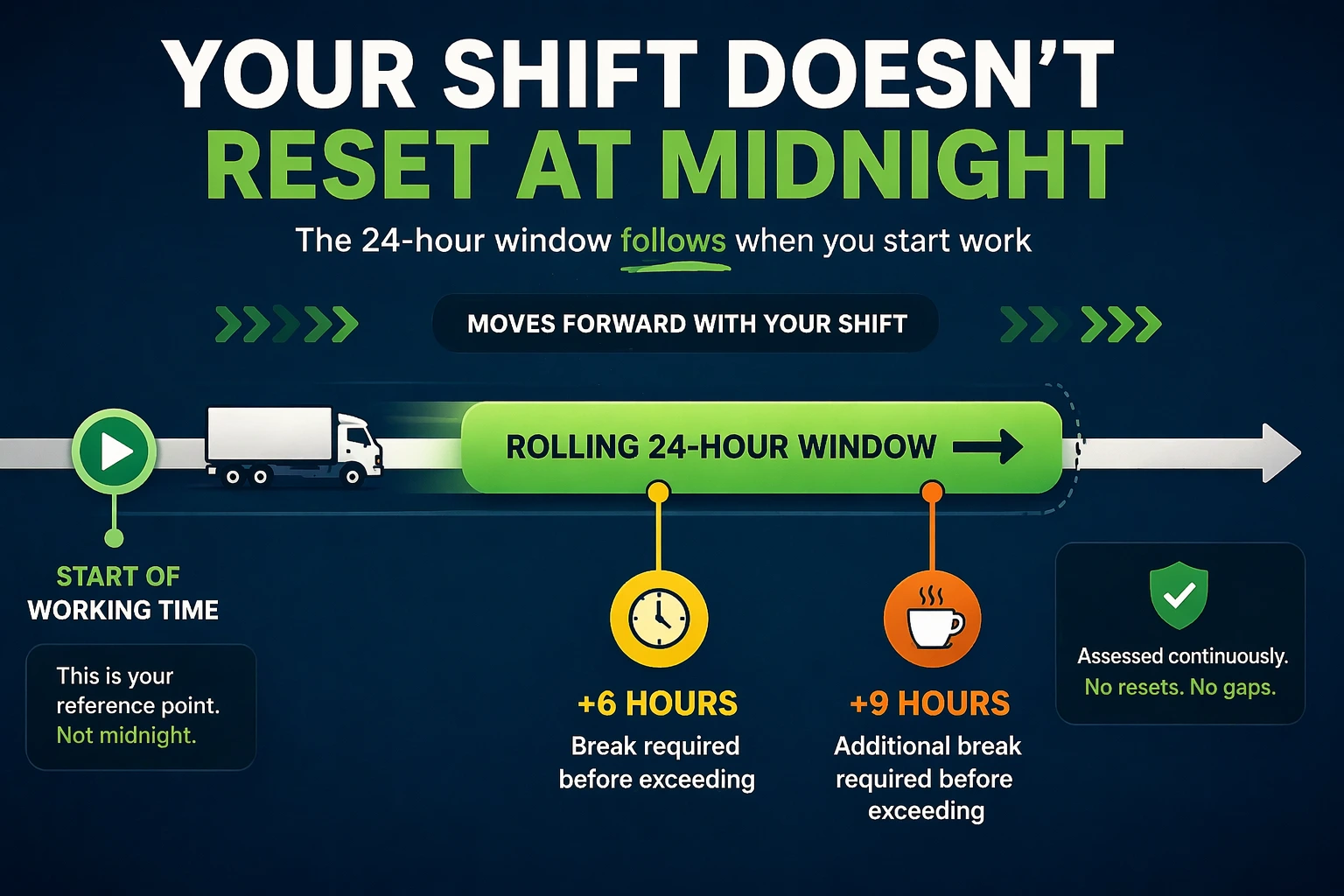
The Rolling 24-Hour Rule is not a separate limit.
It is how Working Time limits are measured.
Calendar days
Shift starts
Midnight resets
The law does none of those.
The One Rule to Understand First
Working Time limits are assessed over a rolling 24-hour period, starting when your Working Time begins.
That 24-hour window:
Moves forward continuously
Does not reset at midnight
Does not reset at shift change
Does not reset when you change employer
What “Rolling” Actually Means
“Rolling” means the 24-hour window moves with you.
It always covers:
The last 24 hours of time
Within that window, only Working Time is added up.
It is:
Not “today”
Not “yesterday”
Not “this shift”
Every new minute worked pushes the window forward.
Why This Matters
Several Working Time Directive rules rely on this rolling window, including:
Night work limits
Total Working Time limits
Combined work across jobs
If you misunderstand the rolling 24-hour rule, you will misunderstand everything built on top of it.
Simple Example
Scenario
You start work at 18:00
You continue working past midnight
You finish later the next day
What happens
Your rolling 24-hour period starts at 18:00
It runs until 18:00 the following day
All Working Time inside that window is added together
Midnight changes nothing.
Another Example (Early Start)
You start work at 02:00
You finish at 14:00
Your rolling 24-hour window is:
02:00 today → 02:00 tomorrow
All Working Time inside that window is assessed together.
It does not reset at:
06:00
09:00
Midnight
High-Risk Example – Long Day, Short Turnaround (Critical)
Scenario
You finish work at 18:00
Total Working Time that day = 12 hours
You take 9 hours rest
You start your next shift at 03:00
What drivers often assume
“I’ve had my rest, so I’m starting a new day.”
This is drivers’ hours thinking, not WTD thinking.
What the Rolling 24-Hour Rule actually does
Your rolling 24-hour window is 18:00 (day one) → 18:00 (day two)
When you start again at 03:00, you are still inside the same rolling 24 hours
The 12 hours of Working Time from the previous day still count
Any new Working Time is added on top
Why this matters
Even though your rest was legal, you may already be:
At, or very close to, a Working Time limit
At risk of a night work infringement if the shift crosses midnight
Rest compliance does not reset Working Time limits.
How This Links to Night Work (Important)
Night work is triggered if any Working Time occurs within the defined night period (commonly 00:00–04:00).
Once triggered:
A 10-hour Working Time limit applies
That limit is assessed over the rolling 24-hour period
This is why:
Work done before midnight still counts
Work done after midnight still counts
Breaks do not reset the day
Night work only makes sense because of the rolling 24-hour rule.
Breaks and the Rolling 24-Hour Rule
Breaks do one job only under the Working Time Directive.
They stop Working Time adding up.
That’s it.
When you are on a break:
Working Time does not increase
The Working Time counter pauses
But:
The rolling 24-hour period does not stop
The day does not reset
Midnight changes nothing
Think of it like this:
The 24-hour window keeps moving forward no matter what
Breaks only decide whether minutes inside that window count as Working Time
A break helps by:
Preventing extra Working Time being added
A break does not:
Create a new 24-hour period
Remove earlier Working Time
Increase night work limits
This is why a driver can:
Take all required breaks
Still exceed a Working Time limit
Both things are assessed separately.
One-Line Memory Rule
Breaks pause Working Time — they do not pause time itself.
POA and the Rolling 24-Hour Rule
Periods of Availability (POA):
Do not count as Working Time
Do not reset the rolling 24-hour period
Once Working Time resumes, the same rolling window continues.
Second Jobs and the Rolling 24-Hour Rule
The rolling 24-hour rule follows the driver, not the job.
This means:
Work for all employers is combined
Changing company does not reset the clock
Non-driving work still counts
Example
Evening driving job
Early-morning warehouse job
Both sit inside the same rolling 24-hour period.
Common Myths
“It’s a new day”
“Midnight resets it”
“I changed shifts”
“I changed employer”
“I took a long break”
None of these reset the rolling 24-hour window.
How to Use This Safely
If your work:
Crosses midnight
Starts very early
Involves long shifts
Involves more than one job
Always ask yourself:
“What does my last 24 hours look like?”
That question prevents most infringements.
Key Reminder
The rolling 24-hour rule explains how limits are measured, not what the limits are.
You must still apply:
Working Time definitions
Break rules
Night work rules
Drivers’ hours rules
All systems apply at the same time.
Final Takeaway
The Rolling 24-Hour Rule:
Does not care about dates
Does not care about midnight
Does not care about employers
It only cares about the last 24 hours of Working Time.
Understand this, and the rest of WTD falls into place.
Related Guides
- Night Work Rules – HGV Drivers
Second Jobs & Manual Entries
Return to the main guide: